Tooldesk
Your working desk, in one browser tab.
Tooldesk, from Multiunit Technologies Inc., puts notes, a spreadsheet, a word processor and a PDF reader side by side, with an assistant that can read what is open and work in it. It is the foundation our industry editions are built on. The first, for commercial real estate, runs at Ghatan Group.
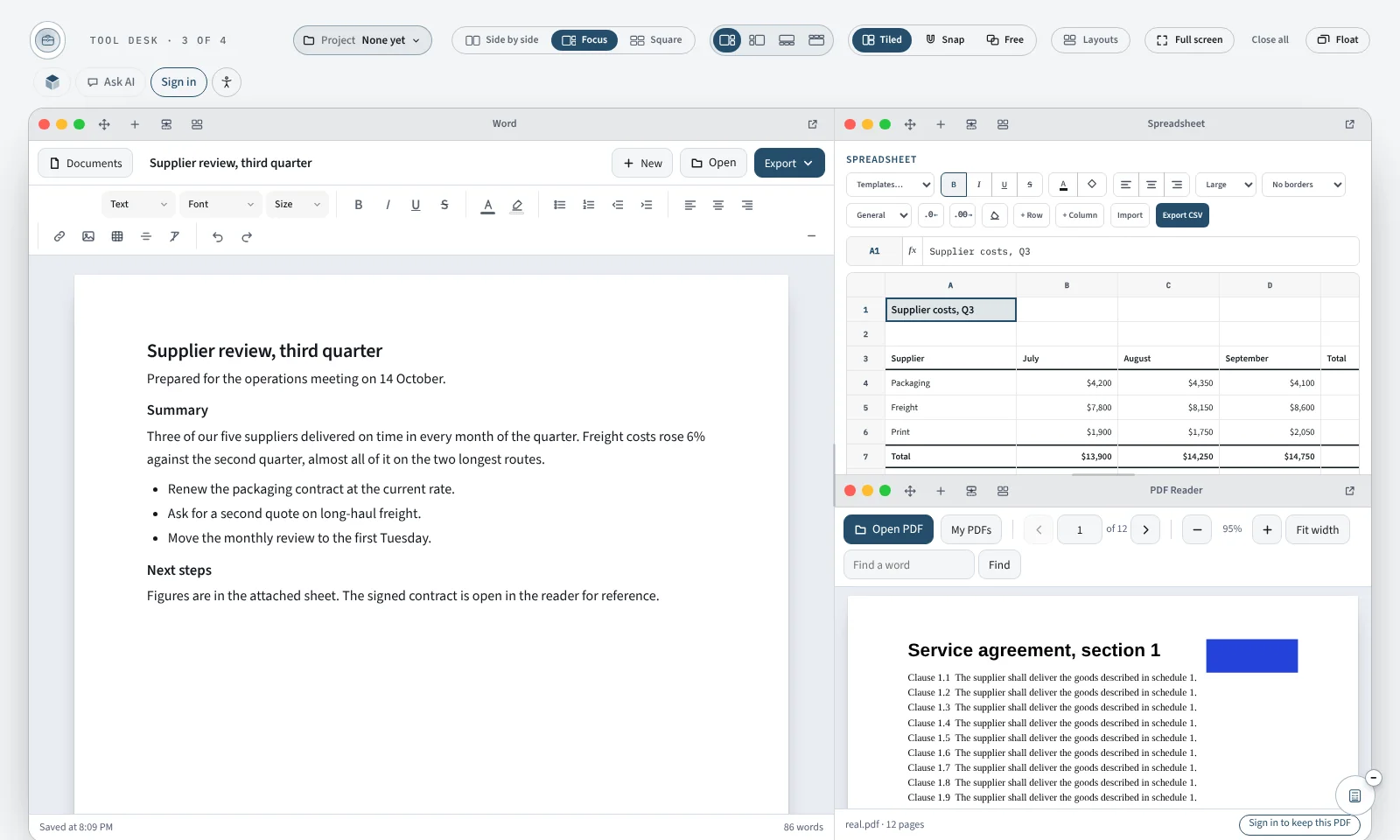
- 4tools on the desk, with a calculator, calendar and sticky notes beside them
- 3desk modes: tiled, snapped edge to edge, or free
- 40saved projects per account, saved as you work
- 0software to install. It runs in the browser
The tools
Four tools, and room to work with them together.
Each tool does its own job well and saves as you type. The point is having them open at once: the document, the numbers behind it and the file you are reading from.
Notes
A notebook with headings, tables and pictures, search across every note, and quick reminders.
Spreadsheet
Several sheets, formulas including SUM, PMT, NPV and IRR, formatting, templates for invoices and budgets, and Excel and CSV import.
Word
A word processor for letters, reports and drafts. Opens Word files and exports Word and PDF.
PDF Reader
Read any PDF with zoom, page jump and search. A PDF opens on your device, and you choose which ones to keep on your account.
Assistant
Ask a question, or switch on “See my Desk” and it reads what is open. With your permission it writes the document, fills and formats the sheet, and shows each change with an undo.
Auxiliary
A companion panel with a calculator, a calendar, sticky notes that stay with the window they belong to, and a second place to talk to the assistant.
The desk
Open what the work needs, side by side.
Layout
Tile
Up to four tools at once: side by side, one large with others alongside, or a two-by-two square. Drag the dividers to resize.
Layout
Free
Windows on an open canvas, with zoom, an overview of every window, and saved layouts.
Organising
Projects
A project keeps one piece of work together: its notes, documents, sheet, sticky notes and which tools are open. Switch projects and the whole desk changes with it.
Continuity
Any device
Work is saved to your account as you go and is waiting on any computer you sign in on. A phone gets the companion panel and a hand-off to a larger screen.
The assistant
An assistant that works on the desk, not beside it.
It answers in plain language by default. Given permission, it can see your open tools and do the work in them, one visible step at a time.
It sees what you allow
Off, it sees only what you type. With “See my Desk” on, it reads your open windows when you send a message, and not in between.
It acts, and shows its work
It can write into Word and Notes, fill and format a sheet, read a whole PDF and add calendar dates. Every change appears as a card you can undo, or approve first if you prefer.
Advanced replies
Switch to Advanced and answers can include tables, charts, checklists and small interactive pages, such as a calculator made for the question you asked.
Access
Open by request.
Tooldesk on multiunit.ca is opened to people one at a time, so we know who is using it and can support them properly.
- Create an account. An email address and a password are all it takes.
- Ask for access. Tell us in a line what you would use it for.
- Hear back by email. Each request is read by a person.
- Start working. Your work is saved to your account and is private to you.
Editions
One foundation, adapted to an industry.
The desk, projects, accounts and assistant are the same everywhere. An edition adds the tools, wording and rules a particular kind of work needs, and runs on the client’s own website under their name.
The foundation
Tooldesk
The general desk described on this page, for any work that lives in documents, numbers and files. Hosted on multiunit.ca.
In production
Commercial real estate
Nine underwriting tools that share one set of deal numbers, with saved deals and confidential deal files. In production at Ghatan Group.
In development
TrustClient
A client edition built on the same foundation, for the people a firm works for. Its scope is being defined.
Commercial real estate edition
Underwrite every deal on one desk.
For brokerages, the same desk carries a set of commercial real estate tools that share one set of deal numbers and save each deal as its own project. It runs on the brokerage’s website, for its team and the investors it works with.
Its tools
Nine tools, built for ICI deals.
Each tool opens on a worked example, explains what it calculates and how to read the result, and recalculates as you type. Every one can copy a plain-text summary for an email.
NOI and cap rate
From rent per square foot to NOI, in-place cap rate and value at your target cap, with a sensitivity in 25-basis-point steps.
Pro forma
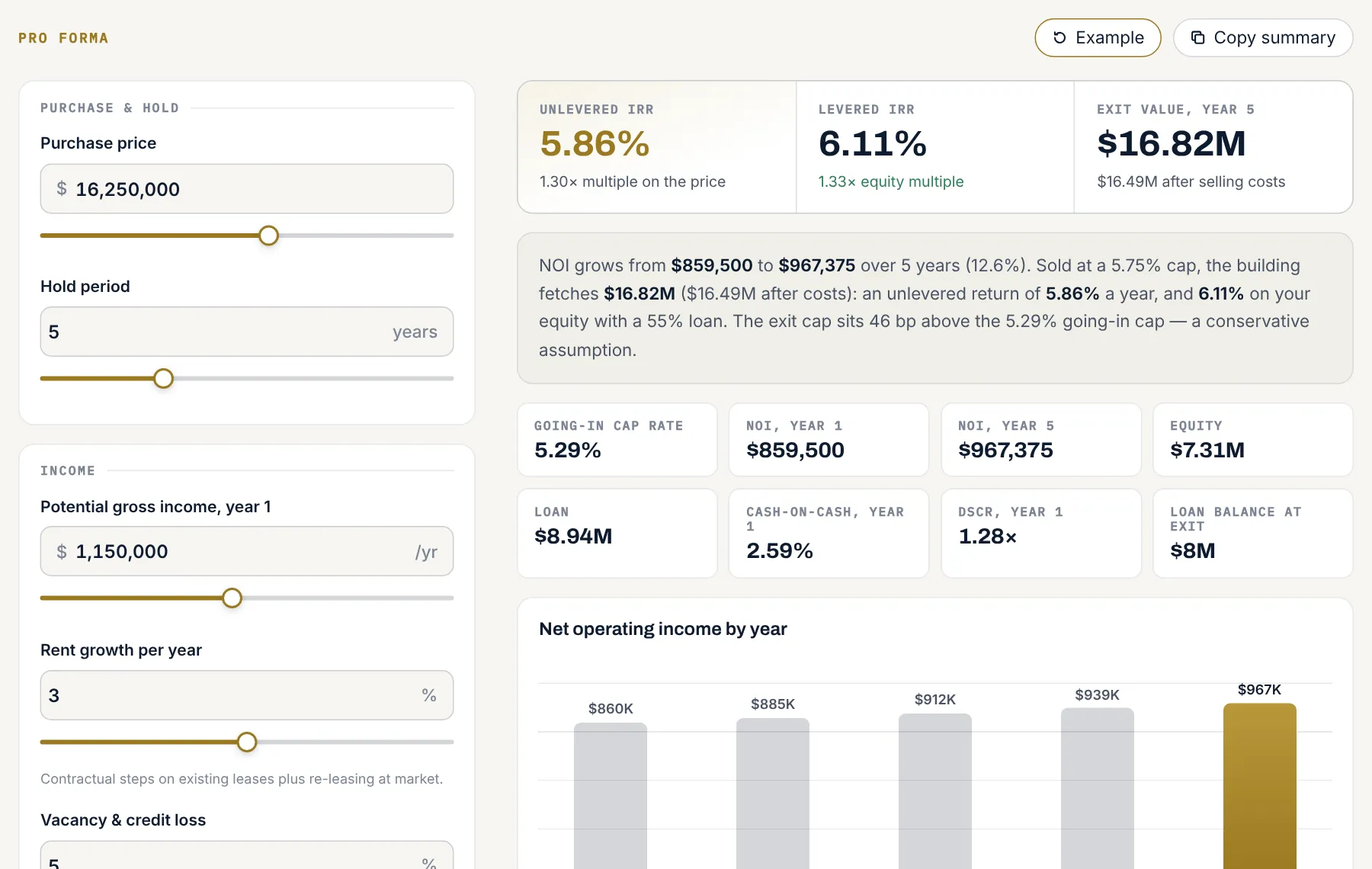
NOI by year over your hold, exit value, levered and unlevered IRR, equity multiple and an exit-cap sensitivity.
DSCR and financing
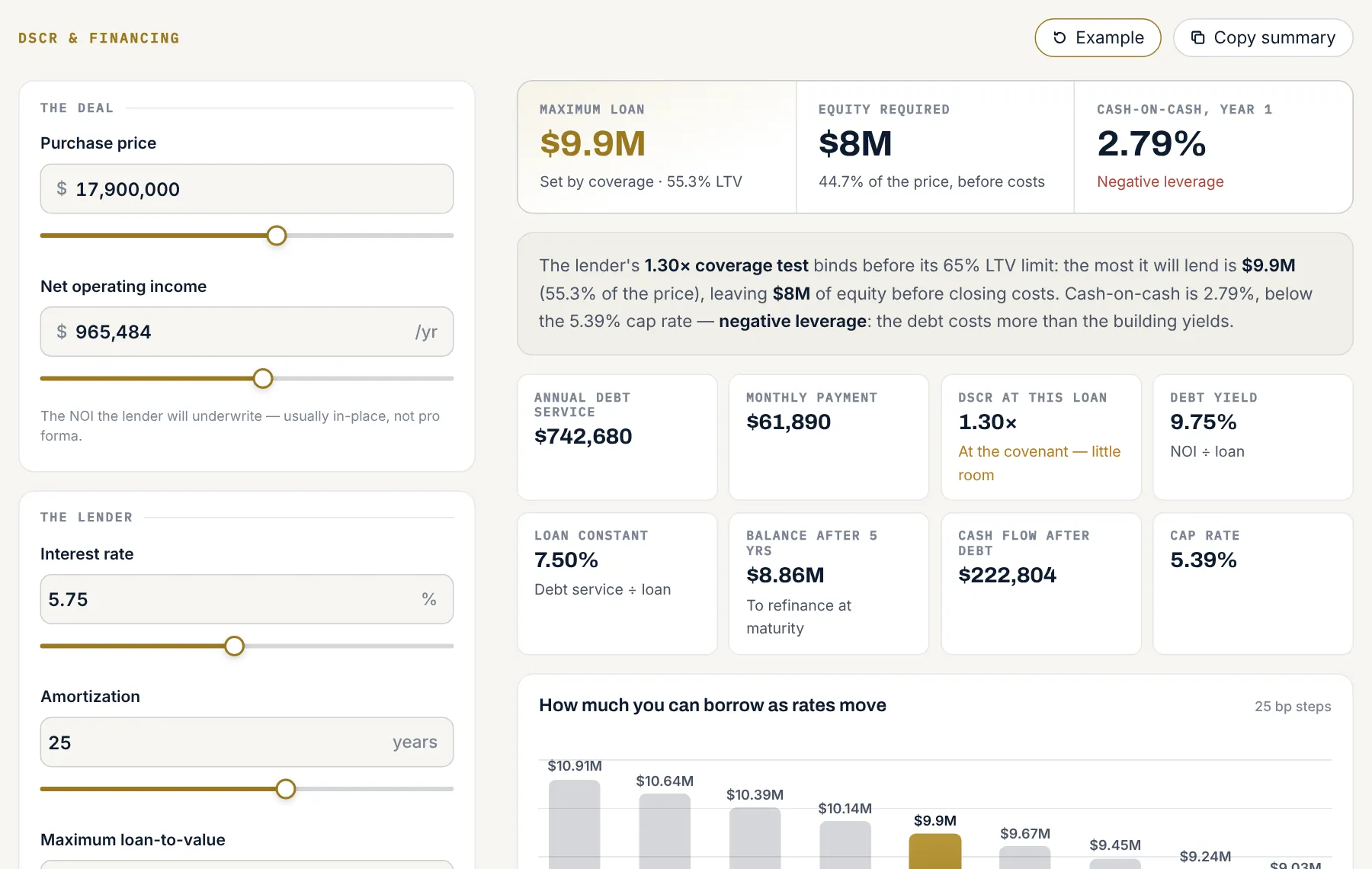
The largest loan a lender will make, which limit binds (loan-to-value or DSCR), the payment, debt yield and loan constant.
Comparables
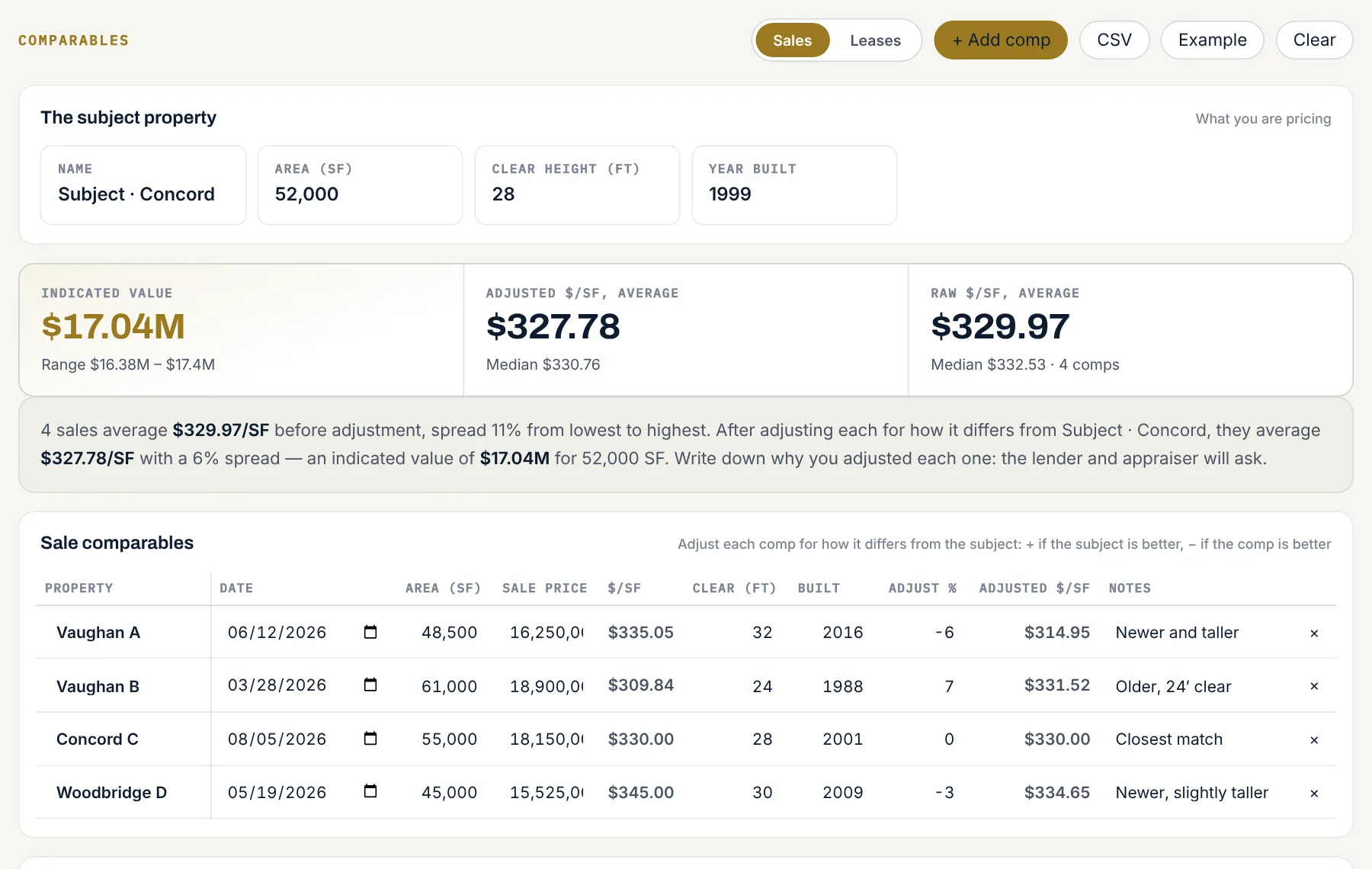
Sale comps with adjustments and an indicated value range, or lease comps reduced to net effective rent.
Tenant roster
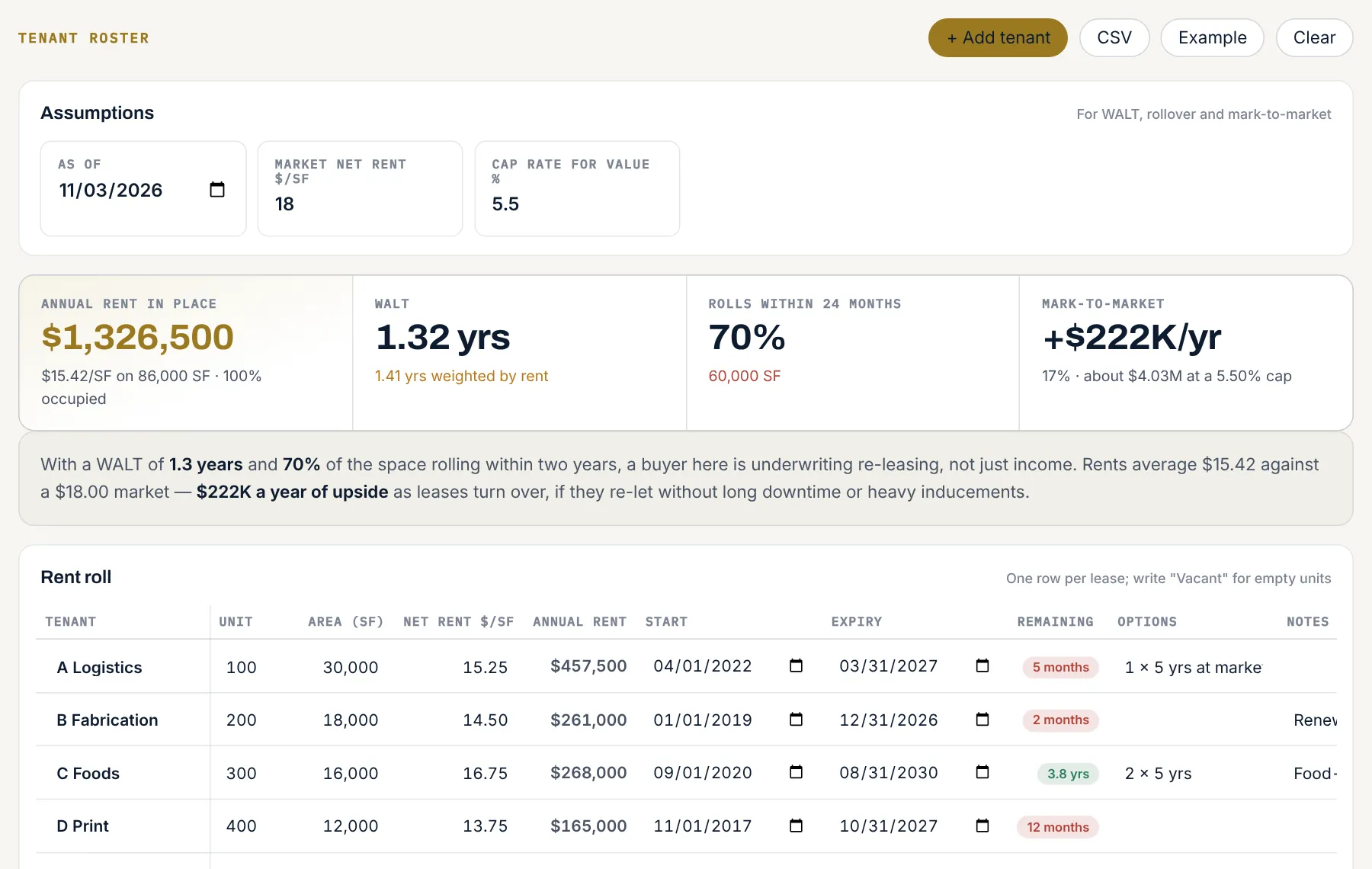
An editable rent roll with in-place rent, weighted average lease term, rollover in the next 24 months and mark-to-market.
Due diligence
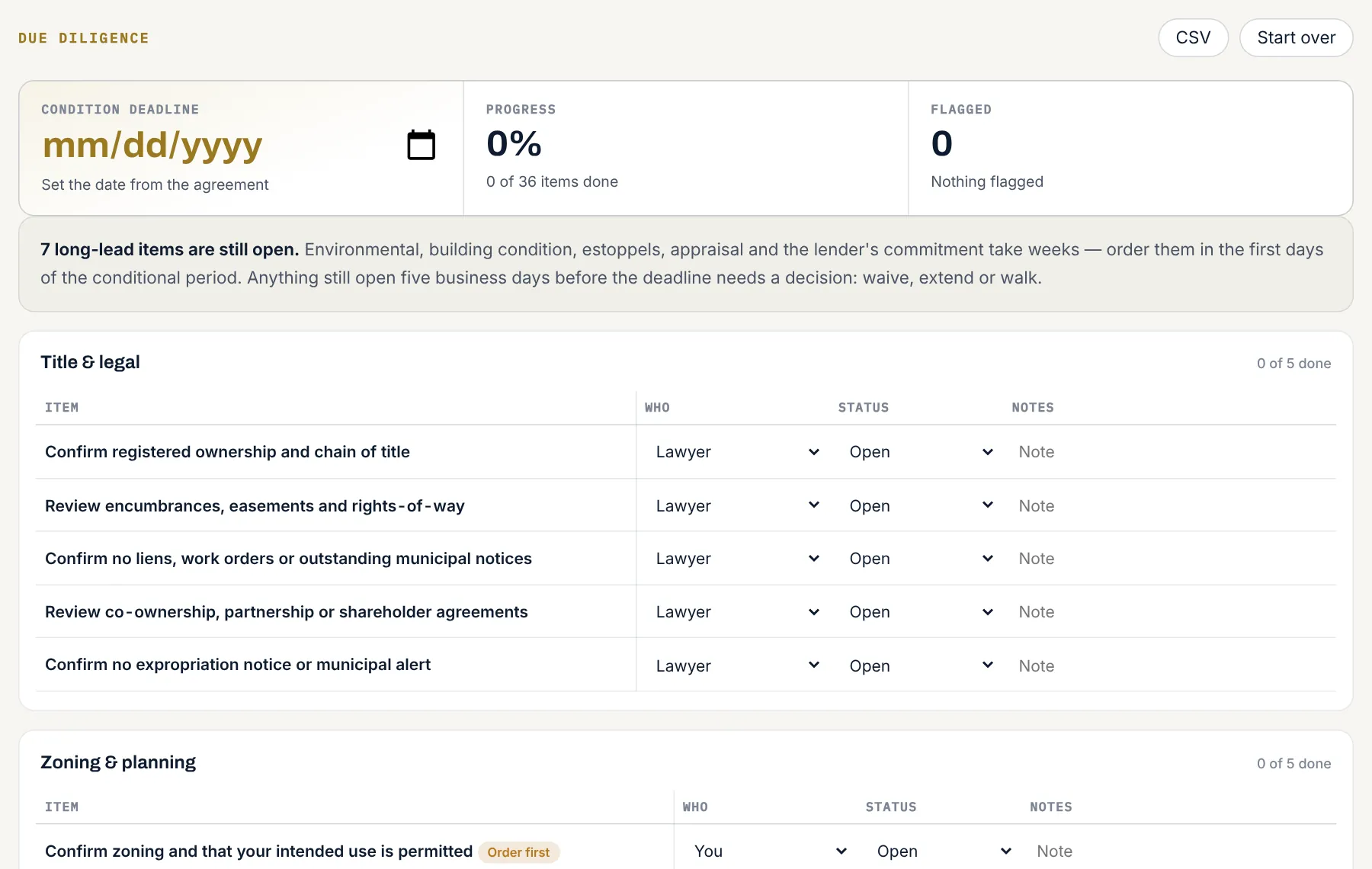
36 items in 7 areas, from title to closing, each with an owner, a status, notes and a condition-date countdown.
Mortgage
Canadian semi-annual compounding, five payment frequencies, prepayments, balance at maturity and a year-by-year schedule.
Spreadsheet
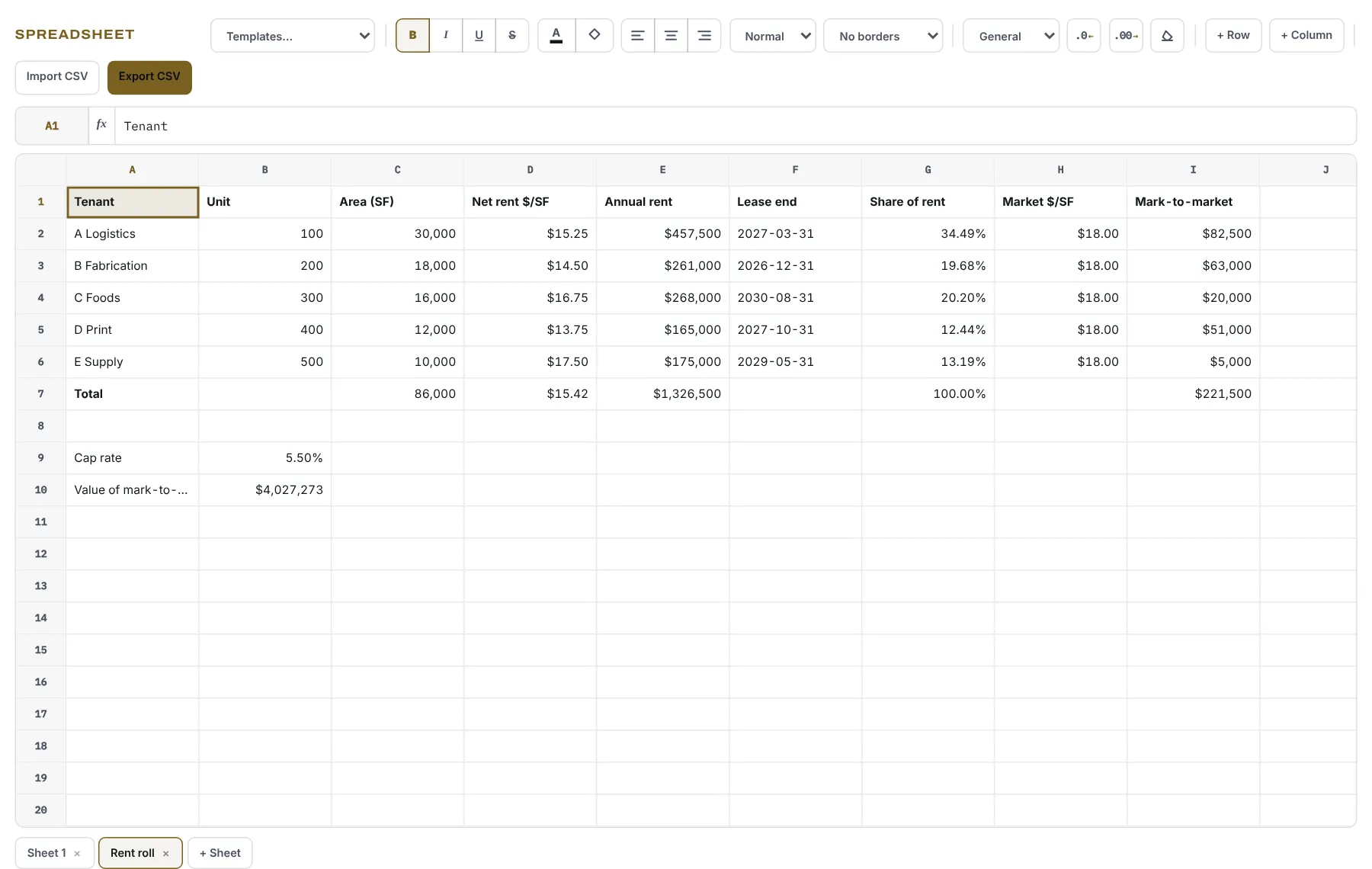
Several sheets, 17 functions including PMT, NPV and IRR, CSV import and export, and four deal templates.
Notes
A deal notebook with tables, reminders and Word export, saved as you type.
Screens
See the tools at work.
Screens from Tooldesk in production at Ghatan Group. Select any screen to enlarge it. Figures are sample deals.
Deal files
Send the numbers with the listing.
For off-market and confidential listings, your team prepares a deal file: the right tools, already filled in, with a note from the broker.
- Inquire. A member asks about a listing.
- Grant. Your team gives that member access to the deal file.
- Review. The member opens a view-only file, watermarked with their email and marked confidential.
- Request. To work with the numbers, they ask for their own copy.
- Decide. You approve or decline. An approved copy lands in their projects.
View-only controls discourage casual copying, printing and sharing in the browser. They support your confidentiality agreement; they do not replace it.
For the brokerage
Why brokerages put Tooldesk on their own site.
Named, consented contacts
Members sign in with email or Google to use the tools. You know who is underwriting your listings and which deal files they asked for.
Consent done properly
Sign-up asks for email preferences with unticked boxes, shows your mailing address and records when consent was given, as Canada’s anti-spam law expects.
Your name on it
Tooldesk appears under your brand, with your disclaimers, your brokerage identification and your contact details on every screen.
Connected to the pipeline
Sign-ups and deal-file requests can flow into your CRM and reporting, measured from first inquiry to closed deal.
What you get
What a real estate deployment includes.
Included
- The nine tools and the desk, on your domain
- Your branding, worked examples from your market and your disclaimers
- Member sign-in by email or Google, with CASL-ready consent
- Saved projects and confidential deal files
- A staff view of members, inquiries and copy requests
- Setup, training for your team, and ongoing updates
Good to know
- Tooldesk is for first-pass underwriting, client conversations and deal preparation. It is not an appraisal, a lender’s credit decision or a replacement for full valuation software.
- The tools are in English. The website around them can be in other languages; Ghatan Group’s runs in ten.
- The desk is designed for desktop browsers. Phones get a hand-off, not the full desk.
In production
Tooldesk at Ghatan Group.
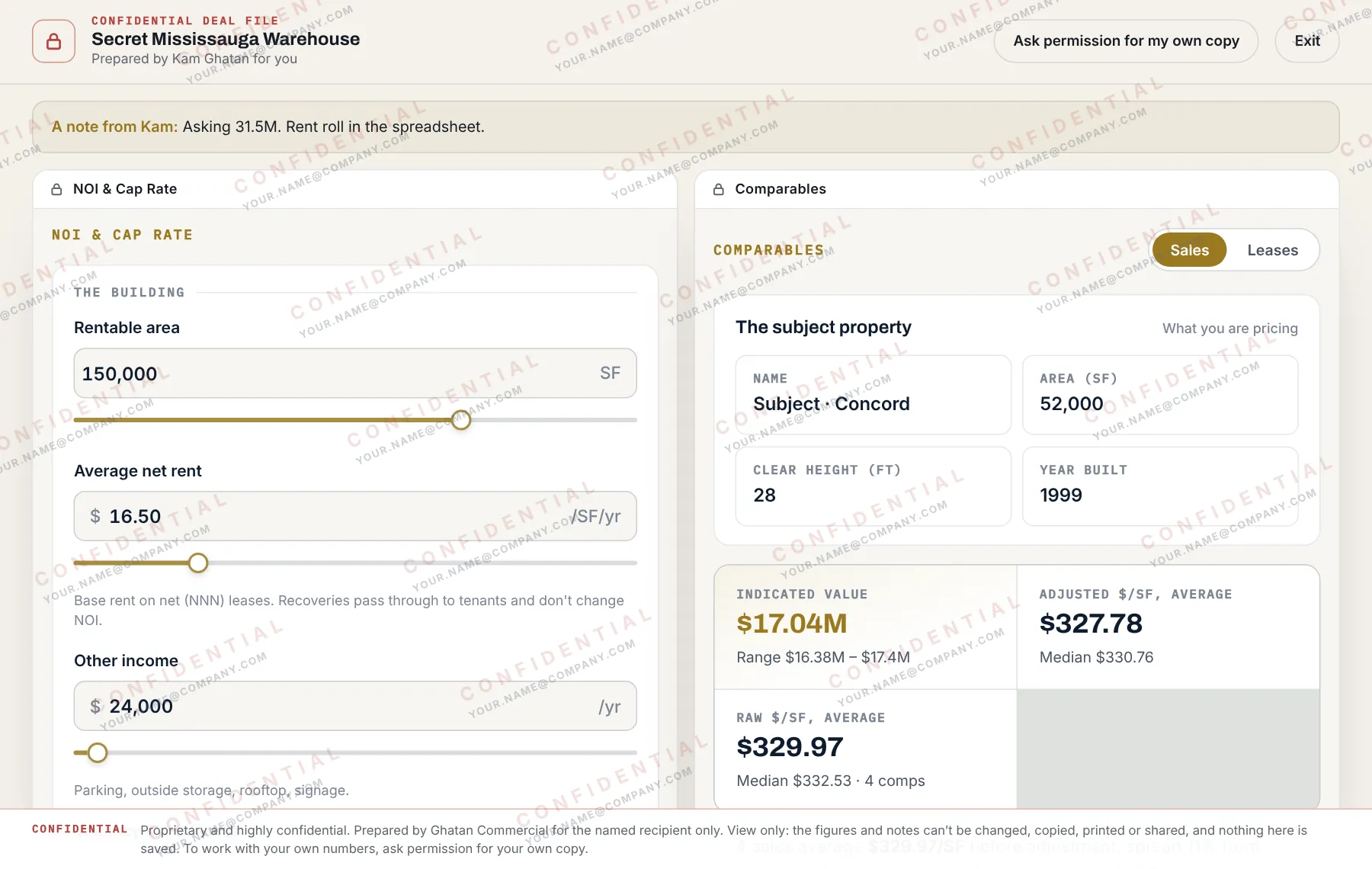
Ghatan Group runs Tooldesk on its website for the investors, owner-users and tenants it works with. Every tool sits behind a free member sign-in, and off-market listings come with deal files the team prepares in advance.
Questions
Questions people ask.
Who is Tooldesk for?
Anyone whose work lives in documents, numbers and files: writing a report with the figures beside it, checking a contract against a budget, keeping a client’s notes with their paperwork. Firms that want it adapted to their own field talk to us about an edition.
How do I get access?
Create an account and ask for access from your account page. Each request is read by a person and you get an email when it is decided.
Do I need to install anything?
No. Tooldesk runs in a current desktop browser. You sign in with an email address and a password.
Where is my work kept?
It is saved to your account on multiunit.ca as you work, and is there on any device you sign in on. A PDF you open stays on your device unless you choose to keep it on your account. Saved PDFs and pictures can only be opened by you.
What can the assistant see?
Only what you type, unless you switch on “See my Desk”. Then it reads your open windows when you send a message, and not between messages. It changes your work only when you let it, and every change can be undone.
Can the assistant be wrong?
Yes. It is a help with drafting, reading and arithmetic, not a substitute for checking anything that matters.
Is the real estate edition advice?
No. Its tools calculate from the figures entered, and the results are estimates for discussion. Each deployment carries the brokerage’s disclaimer on every tool, deal file and summary.
How is an edition priced?
It depends on the tools, branding and connections you need. We quote after a demo, once we know your team and your site.
Does it work on a phone?
The desk is designed for a computer screen, where several tools fit side by side. On a phone you get the companion panel, and a QR code and link to continue on a computer.
See Tooldesk on one of your deals.
Bring a listing you are working on. In 30 minutes we run it through Tooldesk with you and show what it would take to put the desk on your website.